Mastering Revit Rendering: Your Complete Guide
02/09/2025
Revit 2027 AI Features: Predictions & Future of BIM
15/02/2026
The Hidden Trap of Standard Software Setups
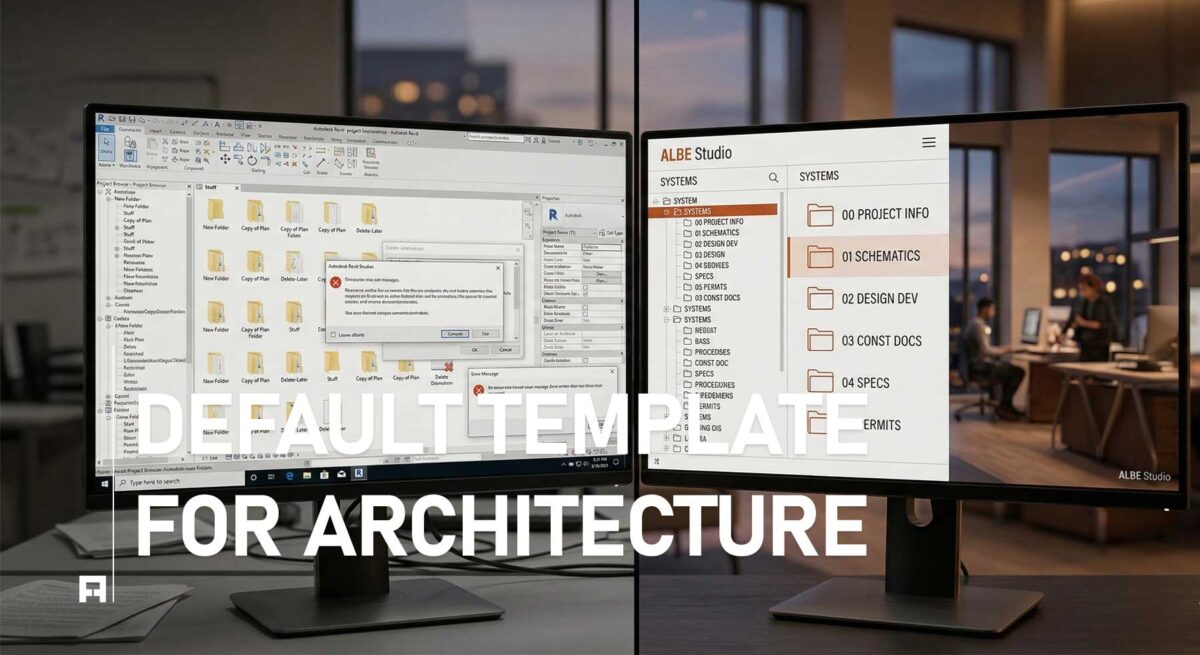
First, every architect starts with high hopes for a new digital project. However, relying on default Revit templates often leads to immediate frustration. Usually, these basic setups are designed for general engineering use only. Consequently, they lack the specific tools needed for professional architectural standards. Furthermore, the disorganized project browser creates massive confusion for your team. Ultimately, this technical friction kills your creative design energy early on.
Indeed, a weak foundation leads to a failing BIM project. In fact, professional studios always prioritize high-quality Revit architecture documentation to maintain their brand. Obviously, working architects do not want extra administrative mess. Instead, you deserve a smart, automated working system. Therefore, your project setup must follow global design standards strictly. Basically, fixing a bad template during an active project is practically impossible.
Why Basic Templates Kill Studio Productivity
Fortunately, understanding these failures helps you avoid them entirely. By doing this, you protect your studio from expensive billable hour losses. Specifically, professional standards require much more than basic settings. Below, we explore why the default software setup fails most architects today:
1. Total Lack of Graphic Standards
Initially, default software graphics look incredibly dull and unrefined. Thus, your elevations and sections lack depth and professional character. Instead of beautiful drawings, you get flat, technical line-work. As a result, you spend hours manually adjusting graphic overrides for every view. Moreover, this inconsistency ruins your firm’s brand identity across different projects. Basically, standard AIA graphic conventions are impossible to reach with a default file. Therefore, your presentation quality suffers significantly without a custom setup.
2. Messy and Unorganized Data
Second, data management is the heart of a successful BIM workflow. Unfortunately, default templates offer zero project browser organization rules. Luckily, a professional setup categorizes views, sheets, and schedules logically. Without this, your team wastes minutes searching for a single drawing daily. Therefore, these small delays add up to hundreds of lost hours. Consequently, your project deadlines become much harder to meet safely. Ultimately, organized data is the absolute key to studio profitability.
3. Heavy and Non-Parametric Families
Third, using random internet families ruins your model performance entirely. Usually, default libraries include very heavy and poorly made 3D objects. Instead, you need lightweight, parametric families designed for speed. Importantly, bad families cause Revit to crash during crucial submission phases. Because of this, your entire studio workflow becomes unstable and unreliable. Naturally, this high risk is unacceptable for professional architectural practices. Furthermore, clean families ensure that your file sizes remain manageable for large-scale projects.
📥 Download The Ultimate Revit Checklist (Free PDF)
Specifically, this free PDF guide helps you fix your failing templates:
- ✅ Browser Organization Rules: Learn how to structure your views properly.
- ✅ Graphic Override Secrets: Master line weights for beautiful architectural printing.
- ✅ Family Creation Standards: Keep your BIM models lightweight and fast.
Escape the Default Setup Today
Naturally, reading a guide is a great first step for learning. However, building a professional template from scratch takes many months. Consequently, we offer a pre-built PRO system for serious architecture studios.
Comparison: Default Setup vs. ALBE PRO System
| Feature | DEFAULT REVIT (Basic) |
ALBE PRO SYSTEM (Professional) |
|---|---|---|
| Browser Organization | Messy | Highly Structured |
| Graphic Quality | Flat / Technical | AIA Standard Graphics |
| Project Phasing | Manual Setup | Automated Demolition |
| Action | Current Struggle | View PRO System |
🚀 Upgrade Your Studio Workflow
Currently, our advanced templates are saving studios thousands of billable hours. Thus, you should stop fighting with limited and broken digital tools. As a result, your team will design with total technical freedom. Finally, upgrade your studio foundation and present your architecture perfectly.