
Guide to Railing & Baluster Spacing in AutoCAD + Free DWG
16/12/2025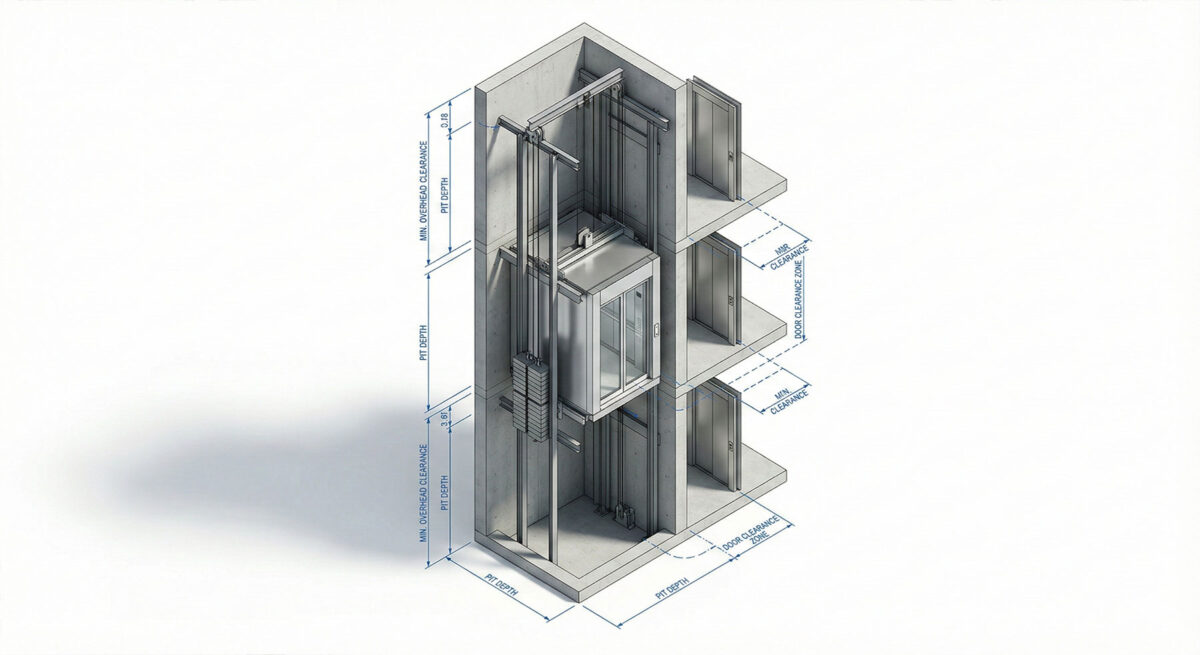
How to Plan Elevator Shafts & Lobbies in AutoCAD + (Free DWG Download)
Elevators are complex vertical transport systems that require strict shaft dimensions. Guessing the size of an elevator shaft during the design phase can lead to major structural conflicts later. Using manufacturer-standard blocks is essential for accurately sizing the core of your building.
In addition to the shaft itself, the lobby requires careful planning. You must account for the door opening, the call button location, and the required ADA turning radius in front of the elevator doors. A good elevator block includes these clearance zones to prevent layout errors.
Technical Guide: Best Practices for Elevator Blocks
Plan for the hoistway, not just the cab. Follow these tips:
- Hoistway vs. Cab: Ensure your block includes the “Clear Hoistway” line (the structural shaft wall), not just the inside of the car. You need to build the walls around the shaft, and the shaft is always significantly larger than the car itself.
- Centerline Alignment: Include the “Door Opening” centerline marker to align your lobby doors perfectly with the cab doors. This is critical for the aesthetic alignment of your lobby design.
For detailed elevator dimensions and planning guides, refer to major manufacturers like Otis Elevator Planning Tools.
Expand Your General Library
Elevators are part of the building core. Coordinate with:
- Stair Blocks (B12) for the egress stair.
- Wall Sections (A12) for shaft wall construction.
Watch: Video Guide to Drafting Standards
Watch this video to learn more about drafting standards for architectural drawings and how to efficiently integrate these blocks and patterns into your daily workflow.
Download the Elevator Starter Pack (Free)
To help you work faster, we have created a professional AutoCAD Elevator & Lift Pack. It includes residential and commercial elevators in plan and section. It is fully layered, purgable, and ready to use.
[Image: Preview of the Elevator Plan and Section blocks]
Become a Revit & BIM Expert
Ready to move beyond AutoCAD? Check out our Revit Interior Design Course to master BIM workflows.