
How to Style Interior Elevations in AutoCAD + Free Decor Blocks
14/12/2025
Guide to Railing & Baluster Spacing in AutoCAD + Free DWG
16/12/2025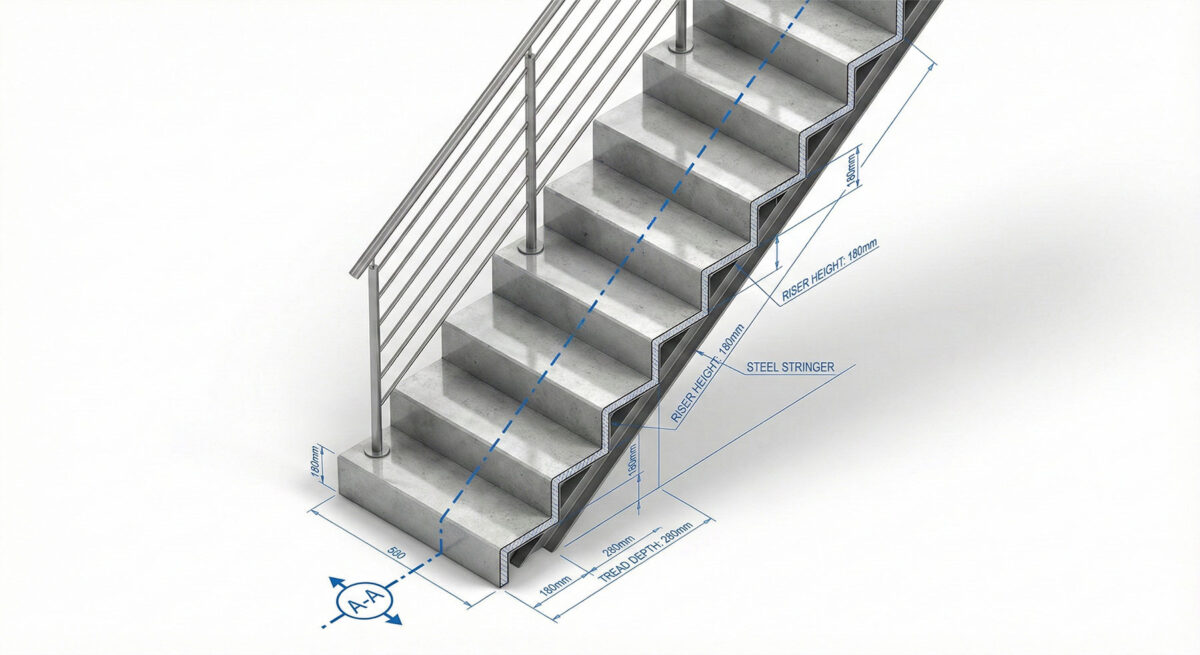
How to Draw Code-Compliant Stairs in AutoCAD + (Free DWG Download)
Stairs are the most complex architectural element to draw. Calculating risers and treads and drawing the cut lines manually is error-prone. A mistake in a stair calculation can lead to serious code violations. Using a standard dynamic block ensures your stairs are consistent and mathematically correct.
Furthermore, representing stairs in 2D requires specific graphic standards: a break line to show what is above/below the cut plane, numbering for treads, and direction arrows (UP/DN). Creating these annotations from scratch slows down the drafting process.
Technical Guide: Best Practices for Stair Blocks
Stair safety is regulated by code. Your blocks must reflect reality:
- Tread Depth (Run): Always verify the “Run” of your block. For commercial use (IBC), this is typically a minimum of 11 inches (280mm). Do not just scale a block visually; measure the tread to ensure compliance.
- Cut Lines: Use a standard “Cut Line” block to show where the stair goes above the floor plan cut plane (usually at 4 feet). This keeps your floor plan clear and allows you to show storage underneath.
For stair code requirements, always refer to the IBC Section 1011 (Stairways).
Expand Your General Library
Stairs need protection. Complete your design with:
- Railing Blocks (B13) for safety.
- Structural Details for stringers.
Watch: Video Guide to Drafting Standards
Watch this video to learn more about drafting standards for architectural drawings and how to efficiently integrate these blocks and patterns into your daily workflow.
Download the Stair Starter Pack (Free)
To help you work faster, we have created a professional AutoCAD Stair Block Pack. It includes Straight, L-shape, U-shape, and Spiral stairs in plan and section. It is fully layered, purgable, and ready to use.
[Image: Preview of the Straight and Spiral Stair blocks]
Become a Revit & BIM Expert
Ready to move beyond AutoCAD? Check out our Revit Interior Design Course to master BIM workflows.